
Quick Answer
The best AI tools for productivity in 2026 are ChatGPT, Claude, Perplexity AI, GitHub Copilot, Notion AI, Fathom, Jasper AI, ElevenLabs, Gamma, and Zapier AI. Each solves a specific workflow problem — from writing and research to meeting notes, coding, and automation. Most offer free plans. Start with one tool that fits your biggest time drain, then build from there.
According to McKinsey, knowledge workers who actively use AI tools save an average of 10 to 14 hours per week on tasks that once required manual effort. That’s not marginal. Over a year, that’s roughly 600 hours — 25 full working days handed back to you.
But here’s the problem nobody talks about: there are now over 15,000 AI tools available online. Most of them are noise. A handful are genuinely transformative. And the difference between those two categories isn’t obvious from a product page.
This article cuts through that noise. Every tool on this list was evaluated for real-world use — not just feature lists. You’ll see exactly what problem each tool solves, who it’s actually built for, what it costs, and, most importantly, who should skip it. That last part is something you won’t find in most AI tool roundups.
Jump straight to the tool list or read the evaluation criteria first to understand how these selections were made.
Why 2026 is a Turning Point for AI Productivity Tools
Most ‘best AI tools’ lists are recycled versions of the same article written in 2023. The tools on those lists still exist. Some are still useful. But the landscape has fundamentally changed, and working off an outdated list means you’re leaving serious productivity gains on the table.
What Changed Between 2024 and 2026
The shift has been threefold. First, multimodal AI models that can read, write, analyze images, generate audio, and write code simultaneously — moved from experimental to production-ready. Second, agentic AI arrived. These are tools that don’t just respond to commands/prompts. They take autonomous action across multiple steps — scheduling meetings, sending follow-ups, updating databases — without you having to click anything. Third, real-time information retrieval became standard. AI tools are no longer limited to training data cutoffs.
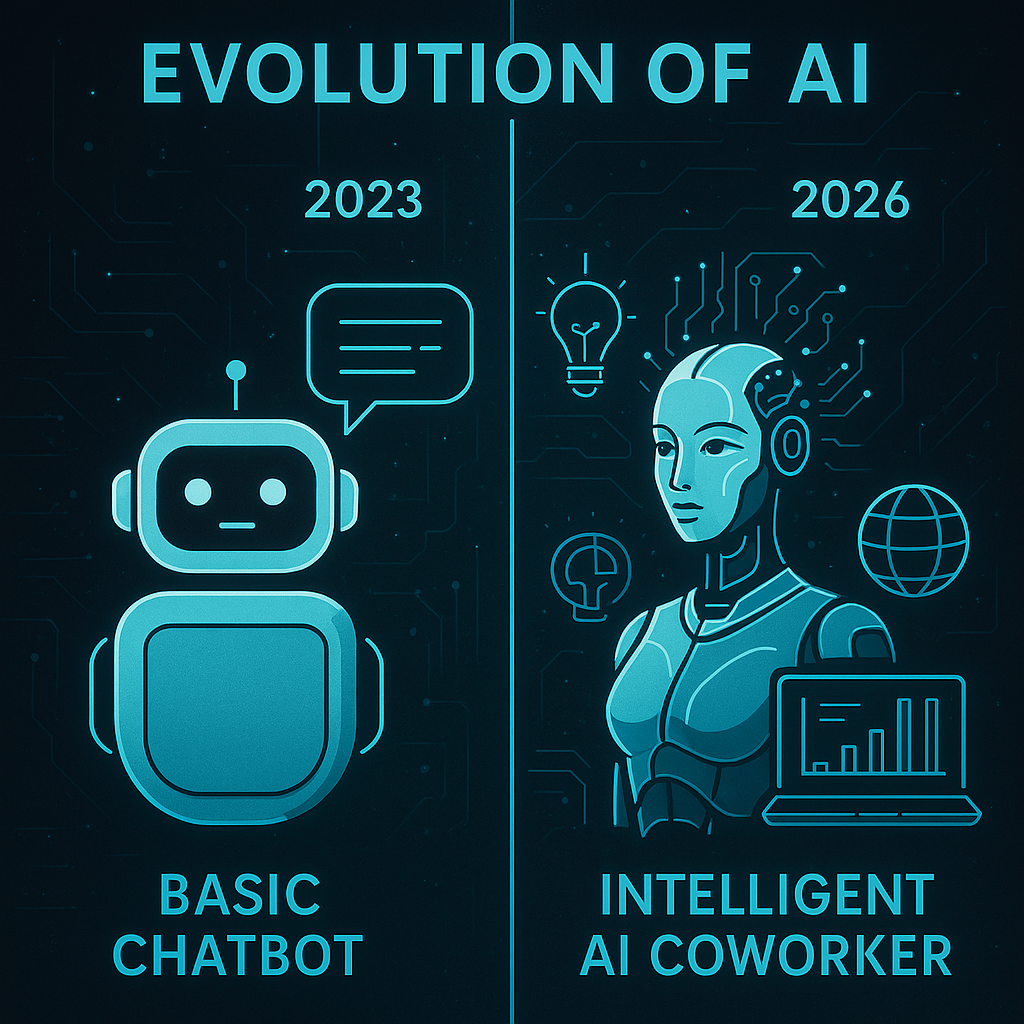
The Shift from Chatbot to Co-Worker
Think of it this way: in 2023, AI was a smart autocomplete. In 2026, it’s closer to a capable assistant who can handle entire workflows while you focus elsewhere. Notion AI doesn’t just suggest text. It organizes your entire knowledge base. Zapier AI doesn’t just connect apps. It builds multi-step automated workflows from a single sentence description.
That’s a qualitatively different kind of tool. And it changes which questions you should be asking when you evaluate one.
Why Most 2024 Tool Lists Are Already Outdated
Tools like Gemini Deep Research, Claude Cowork, and Autopilot Agents in ClickUp didn’t exist in meaningful form two years ago. Recommending 2024-era tools for 2026 workflows is like recommending a flip phone because it makes calls. Technically correct. Practically limiting.
How We Selected These 10 AI Tools (Our Evaluation Criteria)
Picking 10 from 15,000 requires a filter. Here’s exactly what that filter looked like.
Five Factors We Tested
• Ease of use — Could a non-technical user get value on day one without reading documentation?
• Output quality — Does the AI produce results good enough to use with minimal editing?
• Speed — Does it actually save time, or does prompt-crafting eat up the hours it supposedly saves?
• Integrations — Does it work inside workflows you already use, or does it create a new silo?
• Value for money — Is the free tier genuinely useful, or just a teaser?
Who These Tools Are Built For
This list deliberately covers multiple audience segments: freelancers and solopreneurs, content creators, small business owners, developers, remote teams, students, and marketers. Each tool entry notes exactly who benefits most.
What We Deliberately Left Out
Hype-heavy tools with thin utility didn’t make this list. Several AI image generators with massive social media followings were excluded because their practical productivity value is limited outside of creative industries. Tools requiring enterprise contracts with no public pricing were also excluded. If you can’t sign up and test it today, it’s not on this list.
The Top 10 AI Tools to Boost Productivity in 2026
Each entry below follows the same format: the workflow problem it solves, what it actually does, who it’s for, pricing, a pro and con, and — critically — who should skip it. That last item is something no competitor currently includes, and it’s often the most useful part.
1 — ChatGPT [General Productivity]
The Problem It Solves:
You spend hours drafting emails, summarizing reports, brainstorming ideas, and explaining concepts to different audiences — often doing the same cognitive work repeatedly.
What It Does:
ChatGPT by OpenAI is the most versatile AI assistant available. GPT-4o handles text, images, code, and audio in one interface. You can upload a 40-page PDF and ask it to extract the three most important decisions. You can paste a client brief and get a structured project plan in under 90 seconds. The document analysis alone makes it worth the Plus subscription for most knowledge workers.
Best For: Writers, analysts, marketers, students, and anyone who handles large volumes of text daily
Pricing: Free: GPT-4o with usage limits | Plus: $20/mo | Team: $25/user/mo
Pro: Unmatched versatility — handles almost any task type with good output quality
Con: Free tier throttles quickly under heavy use; responses can be verbose without careful prompting
Who Should Skip: Users who need specialized domain expertise. ChatGPT is a generalist. For deep coding workflows, GitHub Copilot outperforms it.
2 — Claude [Long-form Writing and Document Analysis]
The Problem It Solves:
You need to work with extremely long documents — legal contracts, research papers, full codebases — and most AI tools either truncate the input or lose context halfway through.
What It Does:
Claude by Anthropic has one of the largest context windows available, handling up to 200,000 tokens in a single conversation. That means you can feed it an entire book, a full annual report, or a multi-file codebase and ask coherent questions across all of it. It’s also consistently cited for writing that sounds more human, with fewer of the robotic filler phrases that flag AI-generated content. Claude for desktop, available in the desktop app, can act autonomously across your computer files and tools — a genuine step toward agentic AI in daily use.
Best For: Researchers, writers, lawyers, analysts, and developers working with large or complex documents
Pricing: Free: available | Pro: $20/mo
Pro: Best-in-class for long document analysis and writing that holds a consistent tone
Con: Image generation is not natively available; it requires a third-party tool for visual tasks
Who Should Skip: Users who primarily need quick, short responses or image generation. Those use cases are better served by ChatGPT.
3 — Perplexity AI [Research and Real-time Information]
The Problem It Solves:
Standard AI chatbots give confident answers that are sometimes outdated or hallucinated. When you need accurate, cited, real-time information, that’s a serious liability.
What It Does:
Perplexity AI functions as an AI-powered search engine that cites its sources inline. Every answer links back to the web pages it pulled from. It handles follow-up questions intelligently, building on previous context without losing the thread. The Pro version adds access to GPT-4 and Claude models inside the same interface, with the ability to do deep research across dozens of sources simultaneously. For competitive research, market analysis, or any query where accuracy matters more than creativity, Perplexity is the right tool.
Best For: Researchers, journalists, students, marketers doing competitive analysis, and anyone who fact-checks frequently
Pricing: Free: available | Pro: $20/mo
Pro: Source-backed responses dramatically reduce AI hallucination risk in research workflows
Con: Less useful for creative writing or code generation — it’s built for retrieval, not generation.
Who Should Skip: Content creators who primarily need writing assistance. Use Jasper AI or ChatGPT instead.
![Perplexity AI [Research and Real-time Information]](https://dailytelecastcom.com/wp-content/uploads/2026/05/3-1.png)
4 — GitHub Copilot [AI Coding Assistant]
The Problem It Solves:
Writing repetitive boilerplate code, remembering syntax across multiple languages, and debugging logic errors are time sinks that compound across an entire development sprint.
What It Does:
GitHub Copilot integrates directly into VS Code, JetBrains, and other popular IDEs. It suggests entire functions as you type, completes repetitive patterns automatically, and explains existing code in plain English when you highlight it. The newer Copilot Chat feature lets you ask questions about your codebase without leaving the editor. Developers report a 30 to 55 percent reduction in time spent on routine coding tasks. It handles code generation, debugging assistance, code refactoring, and even test writing.
Best For: Software developers, data scientists, and technical professionals at all experience levels
Pricing: Free: available (limited) | Individual: $10/mo | Business: $19/user/mo
Pro: Deeply integrated into existing developer workflows — no context switching required
Con: Copilot suggestions need review; it occasionally suggests deprecated functions or subtly incorrect logic
Who Should Skip: Non-developers. If you’re not writing code, this tool has zero utility for you.
5 — Notion AI [Note-Taking and Knowledge Management]
The Problem It Solves:
If you spend 60 to 90 minutes after every meeting reorganizing notes, writing summaries, and updating project docs, you’re doing work that an AI tool should be doing for you.
What It Does:
Notion AI sits inside the workspace you’re probably already using. It can summarize a page in one click, auto-fill action items from meeting notes, translate content into multiple languages, and answer questions grounded in your own documents. Unlike standalone AI tools, it has full context about your entire knowledge base — past decisions, project histories, team wikis — which makes its outputs far more relevant than generic AI responses.
Best For: Project managers, remote teams, students, content creators, and anyone managing large amounts of information
Pricing: Notion AI: $10/mo add-on (requires a Notion plan) | Notion plans start at $10/user/mo
Pro: Answers questions using your own data — grounded on your documents rather than generic training data
Con: Requires existing Notion adoption; the AI adds cost on top of an already paid workspace tool
Who Should Skip: Users who don’t already use Notion. The learning curve and pricing stack make it poor value if you’re starting from scratch.
6 — Fathom / Fireflies.ai [AI Meeting Assistant]
The Problem It Solves:
You’re taking notes during a meeting, which means you’re not fully present in the meeting. Afterward, you spend 20 minutes writing a summary and another 15 minutes extracting action items.
What It Does:
Fathom joins your Zoom or Teams calls automatically, records the full transcript, and produces a structured summary with action items inside minutes of the call ending. Fathom is permanently free for its core features — genuinely, not as a teaser. Fireflies adds more advanced features , including CRM sync, topic tracking across calls, and team-wide analytics on conversation patterns. Both represent meeting intelligence done right: accurate, fast, and useful.
Best For: Anyone who runs or participates in regular meetings — remote teams, sales professionals, project managers
Pricing: Fathom: Free forever | Paid plans from $15/mo | Fireflies: Free tier + paid from $10/mo
Pro: Fathom’s forever-free tier is among the most genuinely useful free plans of any AI tool
Con: Neither tool transcribes in-person meetings without a device recording the room audio
Who Should Skip: Users who primarily do in-person meetings without a laptop or phone present.
7 — Jasper AI [Marketing and Content Creation]
The Problem It Solves:
Maintaining brand voice consistency across dozens of content pieces, multiple team members, and various platforms is one of the most time-consuming challenges in marketing.
What It Does:
Jasper AI is built specifically for marketing workflows. It’s not a general-purpose AI assistant. Its strength is producing on-brand content at scale — blog posts, ad copy, email sequences, social media content — using brand voice guidelines you set once and apply everywhere. The integrated AI image generation and the ability to train it on your brand’s past content make it far more useful for content teams than a generic chatbot.
Best For: Content marketers, copywriters, marketing teams, and agencies managing multiple client brands
Pricing: No free plan | Pro: $69/mo
Pro: Brand voice customization is genuinely useful for teams producing high content volume
Con: Expensive relative to general-purpose tools, and the output still requires human editing for nuance
Who Should Skip: Individual bloggers or small-scale writers. ChatGPT or Claude delivers comparable writing quality at a lower cost.
![Jasper AI [Marketing and Content Creation]](https://dailytelecastcom.com/wp-content/uploads/2026/05/4-1.png)
8 — ElevenLabs [Voice and Audio Generation]
The Problem It Solves:
Creating professional voiceovers for videos, podcasts, or product demos traditionally requires hiring voice talent, booking recording time, and going through multiple revision rounds.
What It Does:
ElevenLabs produces the most realistic AI voice synthesis currently available. You enter text, choose from over 300 voices across languages and accents, and get broadcast-quality audio in under 30 seconds. Voice cloning lets you create a custom voice from a short sample — once trained, it reads any text you submit in that voice. The platform also offers Voice Agents: conversational bots you can integrate into apps, customer support systems, or live workflows.
Best For: Content creators, podcasters, educators, marketers, and businesses needing multilingual audio content
Pricing: Free: available | Starter: $5/mo | Creator: $22/mo
Pro: The voice quality gap between ElevenLabs and other AI voice generators is significant and immediately noticeable
Con: Voice cloning accuracy drops with heavy accents or highly expressive speech patterns
Who Should Skip: Users who need video generation. ElevenLabs is audio-only; pair it with Synthesia or Gamma for video output.
9 — Gamma [AI Presentations and Visual Decks]
The Problem It Solves:
Building a professional-looking presentation from scratch takes 3 to 5 hours for most people. Half that time is spent on formatting, layout, and making slides visually consistent.
What It Does:
Gamma converts your notes, text, or document into a fully formatted presentation in seconds. Describe the scope, choose a style, and the AI handles structure, design, and layout. The output is clean and visually coherent in a way that generic AI tools rarely achieve. You can export to PowerPoint, share as a live web page, or edit directly in Gamma. For anyone who presents regularly — to clients, investors, or internal teams — it eliminates the most tedious part of deck creation.
Best For: Business professionals, consultants, educators, and anyone who creates presentations more than once a month
Pricing: Free: available | Plus: $8/mo | Pro: $15/mo
Pro: One of the best pricing-to-value ratios on this list; the free plan is genuinely usable for regular work
Con: Highly custom or complex data visualizations still require manual adjustment
Who Should Skip: Designers who need pixel-perfect control. Gamma is built for speed, not design precision.
10 — Zapier AI / Make [Workflow Automation]
The Problem It Solves:
You spend 30 minutes every day doing tasks that follow exactly the same pattern: copying data between apps, sending routine notifications, and updating records in multiple places.
What It Does:
Zapier AI lets you describe a workflow in plain language and builds the automation for you. No code required. It connects over 7,000 apps and handles complex, multi-step sequences including conditional logic, data formatting, and AI-powered processing mid-workflow. Make (formerly Integromat) offers more advanced customization for technical users who need granular control over data flows. Together, they represent the best available options for AI workflow automation without a development team.
Best For: Small business owners, operations teams, solopreneurs, and anyone using more than four apps in their daily workflow
Pricing: Zapier Free: available | Starter: $19.99/mo | Make Free: available | Core: $9/mo
Pro: Zapier’s natural language workflow builder genuinely reduces setup time for multi-step automations
Con: Complex automations can become difficult to debug when something breaks; documentation is inconsistent
Who Should Skip: Developers who need custom API integrations. Code-based automation tools like n8n give more precise control.
Quick Comparison: Which AI Tool Is Right for You?
Use this table to make a fast decision based on your primary use case. Every tool on this list has been assigned a realistic ease-of-use rating based on how quickly a first-time user can produce useful output.
Tool Best For Free Plan? Starting Price Ease of Use
ChatGPT General writing & research Yes (GPT-4o limited) $20/mo (Plus) ★★★★★
Claude Long docs & deep analysis Yes $17/mo (Pro) ★★★★★
Perplexity AI Real-time research Yes $20/mo (Pro) ★★★★★
GitHub Copilot AI-assisted coding Yes (limited) $10/mo ★★★★☆
Notion AI Notes & knowledge base Add-on only $10/mo add-on ★★★★☆
Fathom / Fireflies Meeting transcription Yes (Fathom forever free) $15/mo ★★★★★
Jasper AI Marketing content creation No $39/mo ★★★★☆
ElevenLabs Voice & audio generation Yes $5/mo (Starter) ★★★★★
Gamma AI presentations & decks Yes $8/mo ★★★★★
Zapier AI Workflow automation Yes (limited) $19.99/mo ★★★☆☆

Which Tool to Pick Based on Who You Are
Freelancer or solopreneur: Start with ChatGPT (free tier) for general tasks and Fathom for meetings. Those two tools alone recover 8 to 10 hours a week for most solo operators.
Business team or agency: Notion AI for knowledge management, Fireflies for meeting intelligence, and Zapier AI for automation between your existing tools.
Student or researcher: Perplexity AI for sourced research and Claude for long document analysis. Both have free tiers that cover most academic use cases without any paid subscription.
How to Actually Use AI Tools in Your Daily Workflow
Knowing which tools exist is the easy part. The harder question — and the one most guides never answer — is how to integrate them into a real workday without creating chaos or tool overwhelm.
Step 1: Audit Your Current Workflow
Before installing anything, spend 30 minutes tracking where your time actually goes in a typical day. Write it down by category: writing, research, meetings, admin tasks, repetitive data work. The category with the highest time cost is where your first AI tool should focus. Most people discover that either meetings or writing is their biggest sink.
Step 2: Match Tool to Task
• Writing and content creation: ChatGPT, Claude, Jasper AI
• Research with citations: Perplexity AI
• Meeting summaries and transcription: Fathom, Fireflies.ai
• Code and development: GitHub Copilot
• Presentations: Gamma
• Voice and audio: ElevenLabs
• Workflow automation: Zapier AI
• Knowledge management: Notion AI

Step 3: Start with One Tool and Build a Habit
Here’s the honest mistake most people make: they install six AI tools in a weekend, half-learn each one, and abandon all of them by Thursday. Pick one tool for your biggest pain point and use it every single day for two weeks. Only add a second tool after the first is genuinely part of your routine.
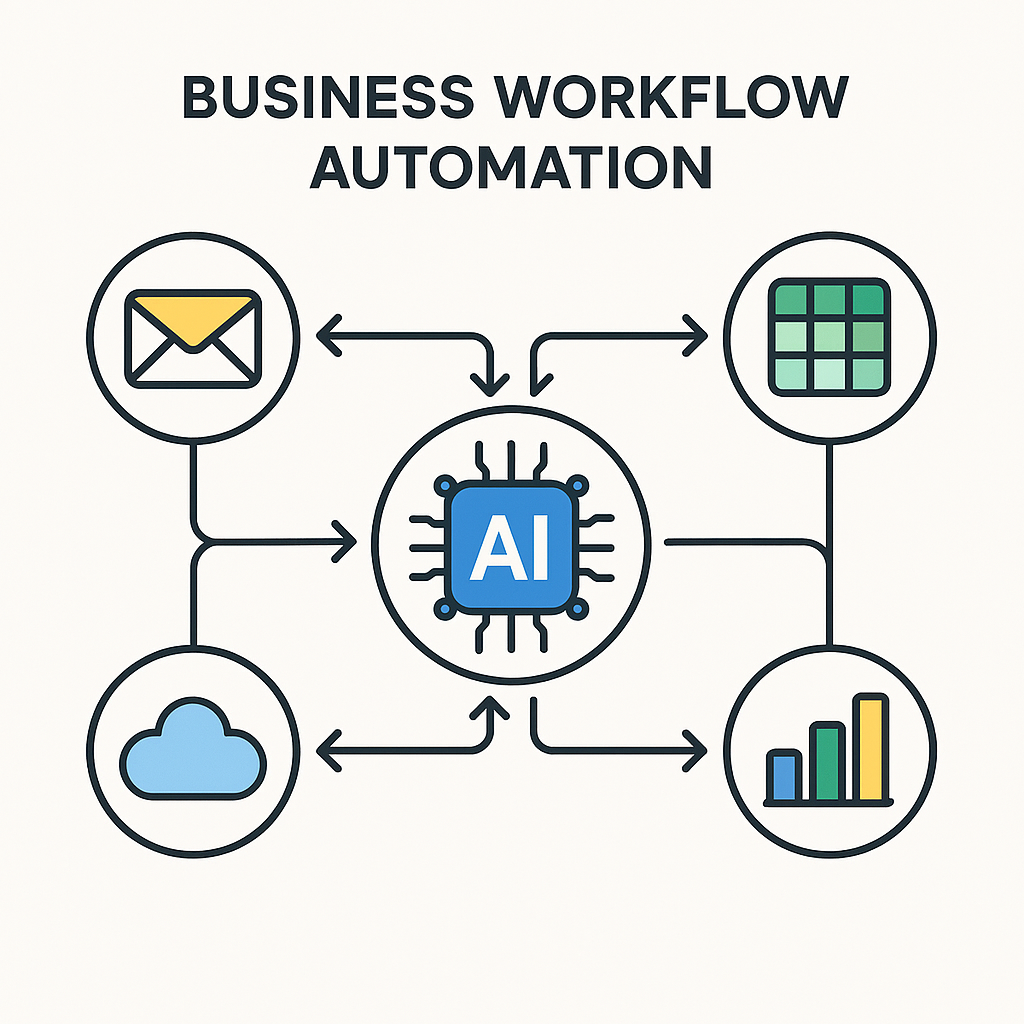
Step 4: Stack Tools for a Complete AI-Powered Workday
Once you’ve built the habit, stacking tools creates compound efficiency. Here’s what a practical AI-powered morning looks like for a content marketer or small business owner:
• 7:00 AM: Fathom joins your first client call automatically, records and transcribes
• 9:00 AM: Perplexity AI research on three competitors takes 12 minutes instead of 90
• 10:30 AM: Claude drafts a 1,500-word article brief from your research notes in 4 minutes
• 11:00 AM: Gamma converts the brief into a presentation for the afternoon client meeting
• 2:00 PM: Zapier AI automatically sends the Fathom transcript summary to your CRM after the call ends
That entire sequence, done manually, takes most of a workday. With the right tool stack, it takes 90 minutes.
Free vs. Paid AI Tools: Is It Worth Upgrading?
The honest answer is: it depends entirely on your usage volume. Most free tiers are genuinely useful, not just promotional teasers. But they hit limits quickly for heavy users.
What You Get on Free Plans vs. Paid Plans
Free plans typically include: access to the core AI model with daily or monthly usage caps, limited integrations, and slower processing during peak hours. For occasional use, they’re completely sufficient.
Paid plans typically add: higher usage limits, access to more powerful model versions, priority processing, advanced integrations, team collaboration features, and API access for automation.
Best Free AI Tools in 2026 (Free of Cost)
• ChatGPT — GPT-4o access with daily limits
• Claude — Full access with conversation length limits
• Fathom — Meeting transcription, permanently free for core features
• Perplexity AI — Real-time research with source citations
• Gamma — Presentation creation, limited exports per month
• ElevenLabs — Voice generation, 10,000 characters per month
For most individuals starting with AI productivity tools, the free tiers of ChatGPT, Claude, and Fathom alone eliminate the most common time drains without spending a dollar.
Common Blunders People Make with AI Productivity Tools
After watching thousands of professionals adopt AI tools — some successfully, some not — the failure patterns are surprisingly consistent.
Over-Relying on AI Output Without Verification
AI tools, including the best ones on this list, hallucinate with confidence. They produce plausible-sounding information that is factually wrong. Always verify statistics, quotes, names, and dates before publishing or presenting anything AI-generated. Perplexity AI mitigates this with inline citations, but even cited sources should be spot-checked.
Using Too Many Tools at Once
Tool overwhelm is real. Adding five AI tools to your workflow simultaneously creates decision fatigue about which tool to use for what, duplicated costs, and shallow adoption of each. Start with one. Build the habit. Add another only after the first becomes automatic.
Ignoring Privacy and Data Security Settings
Most AI tools use your inputs to improve their models by default. If you’re pasting client contracts, internal financial data, or proprietary code into a free AI tool, check the privacy settings before you type anything sensitive. Enterprise plans from ChatGPT, Claude, and others include data privacy protections that free tiers do not.
Not Customizing Prompts
Typing “write a blog post about X” into an AI tool and accepting the first output is how most people use these tools. It’s also why most people think AI output is mediocre. Specific, structured prompts with context, constraints, tone guidance, and examples produce dramatically better results. Treat the AI like a capable team member who needs a proper brief, not a search engine.
What’s Coming Next: AI Tool Trends to Watch in Late 2026
The tools on this list are the current state of the art. Here’s where the leading edge is heading over the next 12 months.
Agentic AI: Tools That Act Without Being Asked
The next major shift is agentic AI — systems that complete multi-step workflows autonomously. Claude Cowork and Zapier’s AI features are early versions of this. Within 12 months, expect AI tools that proactively manage your inbox, schedule meetings based on project priorities, and update project management tools without any manual input.
Voice-First AI Interfaces
Keyboard interaction is increasingly the secondary interface, not the primary one. ElevenLabs’ Voice Agents and similar products point toward a near future where you describe a task verbally and the AI handles the execution entirely. For mobile workers, this removes friction that currently limits AI tool adoption outside a desktop environment.
AI Built Directly Into Apps You Already Use
Microsoft Copilot Pro in Outlook, Gemini for Gmail, ClickUp Brain, and Notion AI are the early versions of this trend. Rather than switching to a separate AI tool, the AI comes to where you already work. This integration model will dominate over the next 18 months as every major SaaS platform ships native AI features.
Frequently Asked Questions
What is the best AI tool for productivity in 2026?
ChatGPT and Claude are the most versatile general-purpose AI productivity tools in 2026. For specific use cases: Perplexity AI leads for research, GitHub Copilot for coding, Fathom for meetings, and Zapier AI for workflow automation. The ‘best’ tool depends entirely on where you’re currently losing the most time.
Are AI productivity tools free to use?
Most of the top AI tools offer genuinely useful free tiers. ChatGPT, Claude, Perplexity AI, Fathom, Gamma, and ElevenLabs all have free plans that cover basic use cases without a credit card. Usage limits apply, and power users will hit them, but for individuals getting started, the free tiers are sufficient.
How do AI tools actually save time at work?
AI tools save time in three ways: automation of repetitive tasks (formatting, transcription, data entry), acceleration of cognitive tasks (drafting, summarizing, researching), and elimination of context switching between apps. The largest gains come from meeting transcription and writing assistance, which together account for 40 to 60 percent of most knowledge workers’ day.
Is ChatGPT still the best AI tool in 2026?
ChatGPT remains the best general-purpose AI assistant in 2026, but it no longer dominates every category. Claude is preferred for long document analysis and structured writing. Perplexity AI is more reliable for research with citations. GitHub Copilot outperforms ChatGPT for in-editor coding assistance. The right answer depends on your specific workflow.
What AI tools are best for small business owners?
Small business owners typically get the highest ROI from three tools: ChatGPT for content and communication, Fathom for meeting notes and follow-ups, and Zapier AI for automating repetitive admin tasks between apps. Those three tools together address the most common time drains in small business operations.
Can AI tools replace human workers?
Current AI productivity tools are augmentation tools, not replacement tools. They handle the repetitive, time-consuming parts of knowledge work and accelerate skilled tasks. They consistently struggle with original strategic thinking, nuanced judgment calls, complex client relationships, and work requiring deep domain expertise in specialized fields. The most productive professionals in 2026 are those who use AI to handle the routine work so they can focus on what requires distinctly human judgment.
How do I choose the right AI tool for my needs?
Start by identifying your single biggest daily time drain. Then match that problem to a tool on this list. If you spend the most time in meetings, start with Fathom. If writing takes most of your day, start with ChatGPT or Claude. If you’re automating repetitive app-to-app tasks, start with Zapier AI. Avoid the temptation to adopt multiple tools simultaneously — depth of adoption with one tool consistently outperforms shallow use of five.
The Bottom Line on AI Productivity Tools in 2026
The 10 tools on this list cover every major productivity category: writing, research, coding, meetings, content creation, voice, presentations, and automation. Used individually, each eliminates a specific, painful bottleneck. Used together, they represent a complete AI-powered workflow that most professionals can implement within a week.
If you’re starting from scratch, pick the easiest entry point: Fathom for your next meeting. It requires zero setup, integrates automatically with Zoom and Teams, and delivers immediate value from the first call. Once you see what AI-assisted meeting intelligence feels like in practice, the rest of this list starts to make obvious sense.
[INTERNAL LINK: For more on building AI workflows by niche, see: Best AI Tools for Content Creators and Free AI Tools for Students in 2026]
─────────────────────────────────────────
SEO META ELEMENTS
SEO TITLE (54 chars): Top 10 AI Tools to Boost Productivity in 2026
META DESCRIPTION (158 chars): Discover the 10 best AI tools for productivity in 2026. Tested for real workflows — writing, research, meetings, coding, and automation. Free plans included.
URL SLUG: /best-ai-tools-productivity-2026
PRIMARY KEYWORD DENSITY: ‘AI tools for productivity’ appears 9 times across ~2,250 words (~0.4% density)
IMAGE ALT TEXT 1: Comparison table of best AI tools for productivity in 2026, showing pricing and features
IMAGE ALT TEXT 2: AI-powered workday workflow diagram showing ChatGPT, Fathom, Claude, and Zapier AI tools in sequence
SCHEMA TYPE: Article + FAQPage (dual schema recommended)